Content Manager has options available to users to enable that can log the activity that occurs within Content Manager, either the activity that occurs within the client or the calls made to the database. This activity logging can be a valuable tool in troubleshooting issues or providing FYB to assist in our investigation when issues are isolated to select users.
Some options may appear differently in the following steps based on your build of Content Manager, however, all options outlined in the below steps are available.
- Open the System Options window from the Administrator tab in the full client (not Desktop).
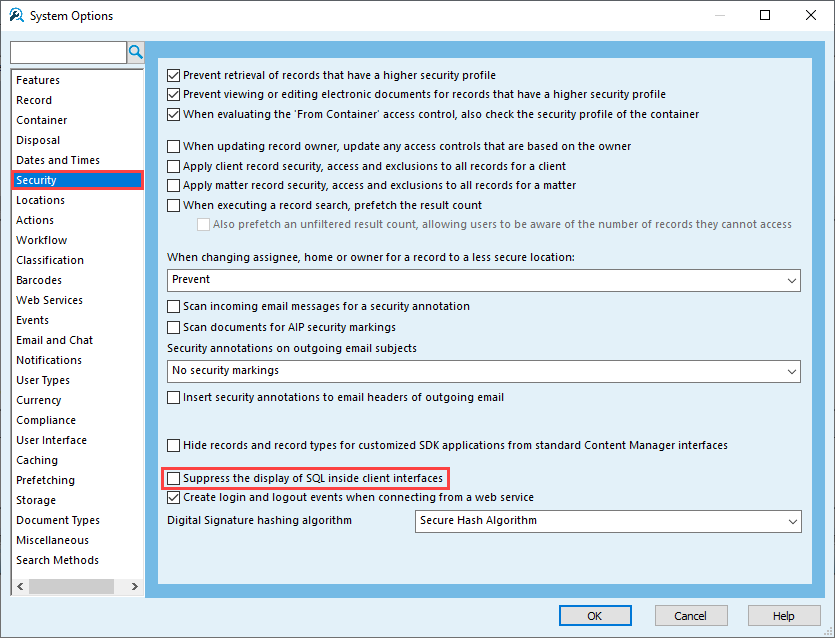
- Disable 'Suppress the display of SQL inside client interfaces' from the Security tab.
- Enable 'Activity Log' from the View tab.

- Select the Dataset/Activity Log tab (see below for an explanation of what each tab does).

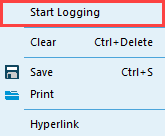
- Right-click within the Activity Log and select Start Logging.
Activity Logging
The activity log records processes during your current Content Manager session. This can be useful for troubleshooting issues. For example, the Activity Log will record the last thing(s) that happened leading up to a Content Manager crash.
Dataset Logging
In the dataset window you will now see outputs for any actions taken in Content Manager that interact with the database. For example, running a search query.
This can be useful for troubleshooting issues such as SQL timeouts on searches to see what queries are being run to the database and where the search is timing out.
Error and Document Queue Tabs
The error tab will capture any errors thrown directly from Content Manager. For example, if a record is already checked out to another user or the file cannot be read from the Document Store.
The Document Queue tab tracks documents that have been processed through the Document Queue and can be useful to review in case records are not processing correctly.
FYB offer training on Content Manager Technical Support and Troubleshooting.
Click here for more information