If you are going to Stop the Primary Workgroup Service it is recommended that this be performed out of hours. Any user connected to the dataset will be disconnected and potentially lose data so it is advisable to pre-warn users to ensure work is saved and users are logged out.
For your environment:
- Log in to the Work Group Server and access Content Manager Enterprise Studio application.
- Navigate to the Main Workgroup Server and open Services, within there will be a Workgroup service (name starting with either Content Manager or HPE Content Manager).
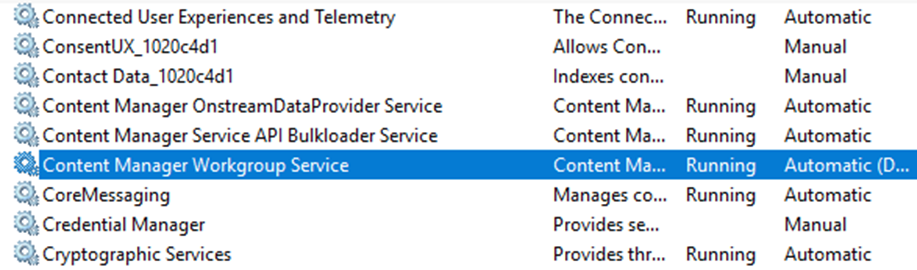
From here you can stop and start the Content Manager Primary Workgroup Service by Right Clicking on the Service and selecting Stop.
If you have multiple servers in your environment you will need to repeat this process on each server.
To restart the Service you can follow the same process and select Start.
If you have multiple servers in your environment you will need to repeat this process on each server.
To restart the Service you can follow the same process and select Start.
FYB offer training on Content Manager Technical Support and Troubleshooting.
Click here for more information